
Top 10 QR Code Generators to Create QR Codes from Images
Looking to convert images into scannable QR codes? Discover the best QR code generators that allow you to create QR codes from images with advanced customization options.
Why Convert Images to QR Codes?
QR codes have revolutionized the way we share information in the digital age. While most people associate QR codes with text or URLs, many modern QR code generators now support image-to-QR conversion. This powerful feature allows you to encode images directly into a QR code, making it easy for anyone to scan and access visual content instantly.
💡 Quick Tip:
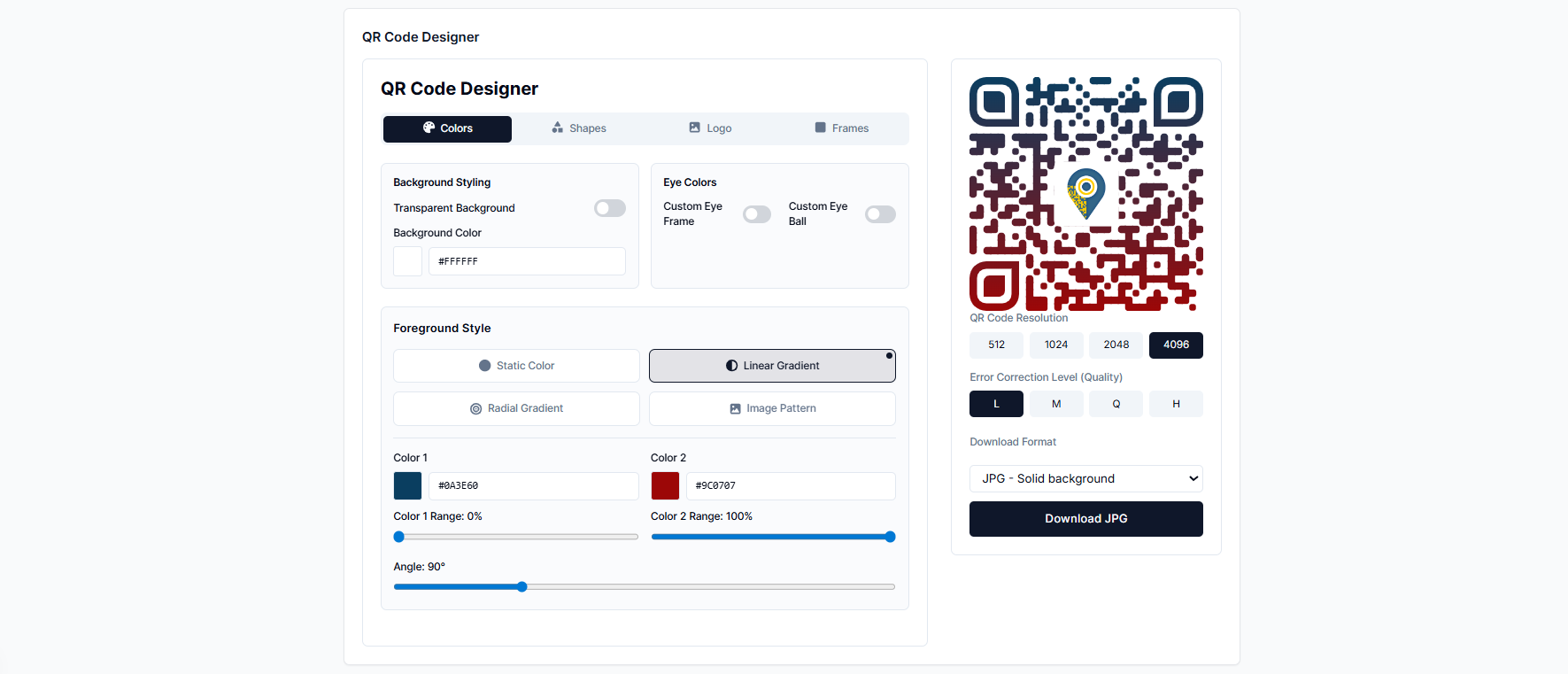
At AddToQR.Com, we offer a free editable QR code generator that lets you create stunning QR codes with custom designs, logos, and backgrounds—all without any watermarks!
Top 10 QR Code Image Generators
1. AddToQR.Com (Our Recommendation)
AddToQR.Com stands out as one of the most user-friendly QR code generators available today. It's completely free and offers unlimited QR code creation without watermarks. The intuitive design dashboard makes it easy to customize your QR codes with custom colors, logos, and even background images. Unlike basic generators, AddToQR.Com supports multiple QR code types beyond just images and URLs.
✓ Key Features:
- • Completely free and ad-free
- • Advanced design dashboard with templates
- • No watermarks or limitations
- • Multiple QR code types (URLs, Text, Locations, and more)
- • Static & Dynamic QR code options
- • Full customization: colors, logos, backgrounds, frames, and shapes
- • Editable QR codes with version control
- • Analytics dashboard (available on premium plans)
2. QR Code Monkey
QR Code Monkey is a free-to-use tool that makes creating and downloading QR codes from images simple and straightforward. The platform also offers paid plans with advanced features like dynamic QR codes, batch generation, and performance analytics. You can organize multiple QR codes in folders and track their performance.
Best For:
Businesses needing analytics and folder organization
3. QRTIGER
QRTIGER offers both static and dynamic QR code generation from images. The platform is known for its ad-free experience and easy-to-use interface. However, the free plan has limited features, so upgrading to a paid plan is recommended for access to more advanced functionality.
Pricing:
Free plan available; premium plans start at moderate prices
4. Scanova
Scanova is designed with user-friendliness in mind, making it perfect for beginners. The platform is accessible without prior QR code creation experience. The paid plans (starting at $9/month) unlock powerful features and provide a more consistent experience for regular users.
Best For:
Beginners and small businesses
5. GoQR
GoQR is a feature-rich QR code generator that supports image-to-QR conversion with printable output. You can print your QR codes on various merchandise including t-shirts, bottles, business cards, and more. The team continues to add new features regularly.
Unique Feature:
Print-ready QR codes for merchandise
6. Beaconstac
Beaconstac is a free-to-use tool offering flexible QR code generation from images with multi-language support. The dashboard provides detailed analytics for tracking QR code performance. The platform is highly rated by users for delivering outstanding user experience and customer satisfaction.
Best For:
International campaigns with multi-language requirements
7. QRStuff
QRStuff is a commercial-grade QR code generator offering unlimited QR code creation without advertisements. After generating a QR code from an image, you can customize the design, colors, and size. The generated QR codes can be printed on various products.
Best For:
Commercial and professional use
8. QRcodedynamic
QRcodedynamic lives up to its name by helping you create dynamic QR codes easily. It supports 13 different QR code types including images. The tool is completely free to start with, and the dashboard is fully customizable without watermarks on the free plan. Customer support is available if you encounter any issues.
Unique Feature:
13 different QR code types supported
9. Zint (Desktop Software)
Zint is an offline QR code generator that works as desktop software. It's perfect for those who prefer to work locally without internet connectivity. Beyond QR codes, it supports many other code types including Ultra Code, Code 39, and VIN Code. Export in multiple formats (BMP, EPS, SVG, GIF, and more).
Best For:
Users preferring desktop solutions and offline work
10. CountWordsFree
CountWordsFree is a simple, hassle-free QR code generator with a user-friendly interface. Generate QR codes from images, emails, links, messages, and text. Output your codes in multiple formats (TIFF, PNG, GIF, JPG). No downloads required—everything works in your browser.
Best For:
Quick, simple QR code creation without setup
Why AddToQR.Com Is the Complete Solution
While all the tools mentioned above are excellent, AddToQR.Com represents the next evolution in QR code generation. It's not just about creating basic QR codes—it's about creating smart, dynamic, customizable QR experiences.
🎯 Comprehensive QR Code Product Suite
AddToQR.Com supports a wide range of QR code types to meet diverse business needs:
📱 URL/Website QR Codes
Available in both static and dynamic formats. Dynamic URLs can be edited even after creation without changing the QR code itself.
📍 Location QR Codes
Share locations on interactive maps with full contact information. Perfect for businesses, events, and physical marketing.
📝 Text QR Codes
Encode any text directly into a QR code. Great for instructions, WiFi credentials, contact info, and more.
And More Coming Soon...
Email, WiFi, vCard, SMS, Phone Numbers, Events, Payments, Link Collections, and more QR types in development.
⚡ Next-Gen System Architecture
AddToQR.Com is built on a modern microservice architecture powered by FastAPI backend, ensuring:
- ✓Enhanced Security: Server-side rendering and secure token management for all operations
- ✓Scalability: Microservice architecture allows independent scaling of different QR code products
- ✓Real-time Analytics: Track QR code scans, user interactions, and performance metrics in real-time
- ✓Version Control: Keep track of all QR code modifications with full revision history
- ✓Flexible Design System: Advanced customization with custom shapes, colors, gradients, logos, frames, and backgrounds
Which QR Code Generator Should You Choose?
The best QR code generator depends on your specific needs:
- •For complete control & customization: AddToQR.Com offers the most flexible design system with support for multiple QR types, advanced customization, and modern architecture
- •For beginners: CountWordsFree for simplicity
- •For businesses with analytics needs: QR Code Monkey or Scanova
- •For merchandise & printing: GoQR or QRStuff
- •For offline use: Zint desktop software
Remember, while all these tools are excellent for general purposes, you should choose the one that best matches your specific requirements. We recommend starting with a free plan to test the features before committing to a paid subscription.
Ready to Create Your QR Code?
Try AddToQR.Com today and create beautiful, customized QR codes for free with no watermarks or limitations.
Start Creating QR Codes